Guide: How to Connect Your Telegram Channel to NEST
4 min read · Written on January 3, 2026

Modern non-profits rely on timely information to act fast and stay coordinated. Whether it is a new donation, a volunteer signup, or a form submission, your team should know immediately.
NEST allows every organization to connect its own Telegram group or channel to receive real-time updates directly where your team already communicates. This guide walks you through preparing a Telegram group and connecting it to NEST step by step.
By the end of this guide, your organization will have a fully connected Telegram setup and be ready to receive live notifications from NEST.
Why Telegram Integration Matters
Telegram is fast, reliable, and widely used by distributed teams. By connecting Telegram to NEST, your organization can:
Receive instant notifications for donations, volunteer signups, and form submissions
Keep leadership and operations teams aligned without logging into dashboards
Reduce missed updates and manual follow-ups
Centralize operational alerts in one trusted channel
Each organization in NEST connects its own Telegram group, ensuring privacy and separation between tenants.
What You Need Before You Start
Before beginning, make sure you have:
Access to Telegram on web or mobile
Permission to create and manage your organization's Telegram group
Admin access to your organization’s NEST dashboard
Using Telegram Web is recommended since it makes it easier to copy your group ID later.
Step 1: Create a Private Telegram Group
Start by creating a new private group in Telegram.
Open Telegram Web or the mobile app
Create a new group
Set it as private
This group will be used only for internal updates from NEST.
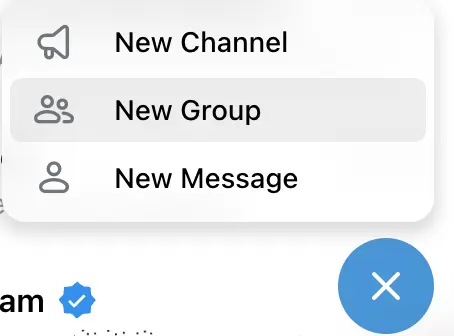
Step 2: Add Your Team and the NEST Bot
Add your team members to the group so they can receive updates.
Next, add the official NEST Bot to the group. This bot is responsible for sending notifications from your NEST workspace into Telegram.
You can add or remove team members at any time. The bot must always remain in the group.
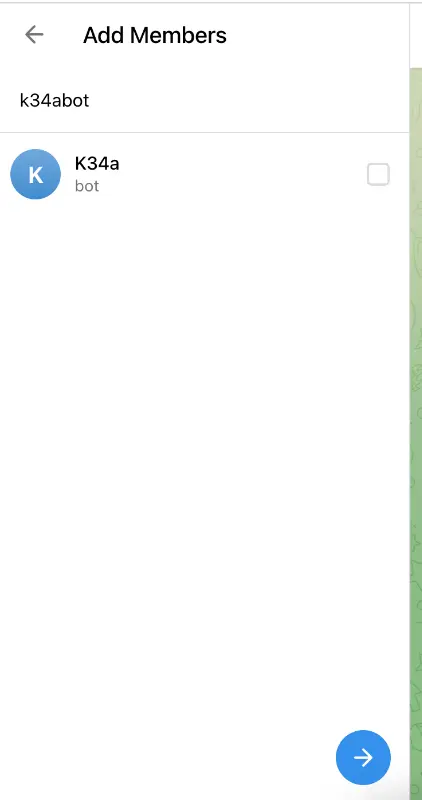
Step 3: Set a Clear Group Name and Image
Give your group a clear and recognizable name such as <YOUR_ORGANIZATION_NAME> Updates
Adding a profile image helps team members quickly identify the group, especially if they are part of multiple Telegram groups.
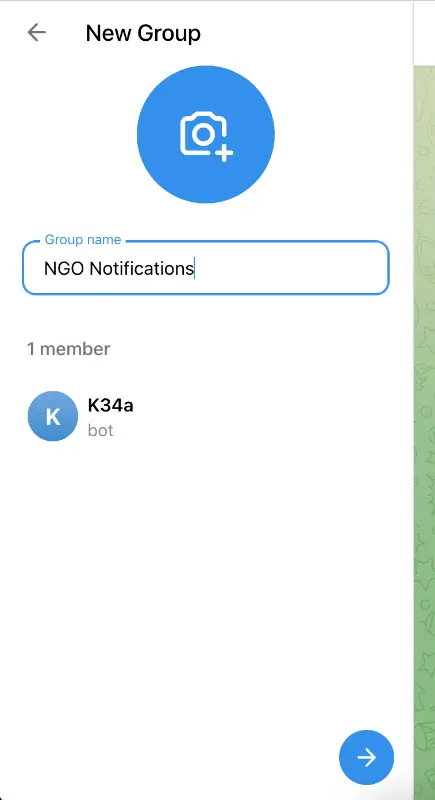
Step 4: Make the Bot an Administrator
This is the most important step.
The bot must be an administrator in your group to post messages.
To do this:
Open the group info
Go to Edit
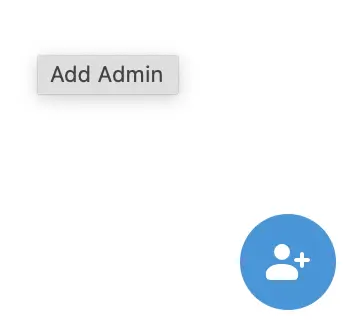
Open Administrators
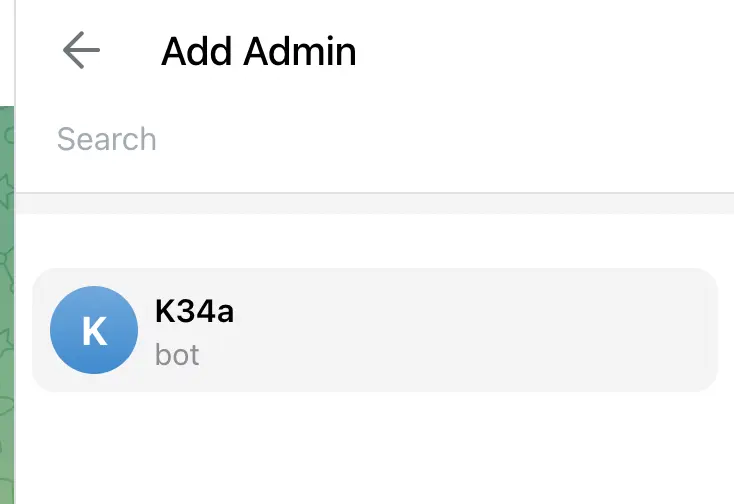
Add the NEST bot as an administrator
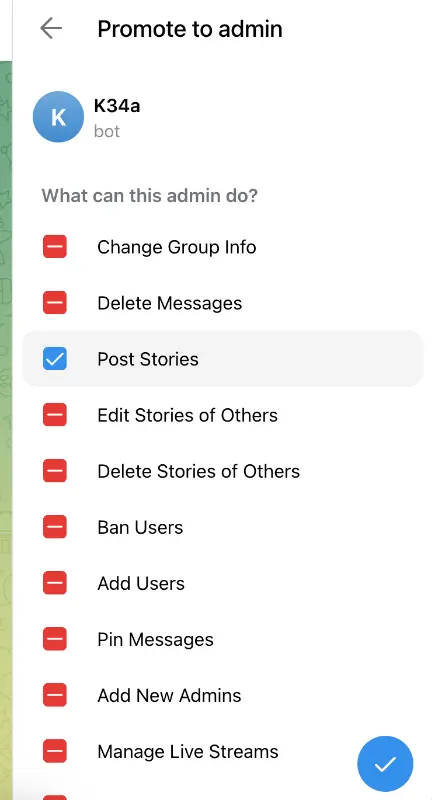
Enable permission to post messages
If the bot is not an admin, NEST will not be able to deliver notifications.
First go to Group info.
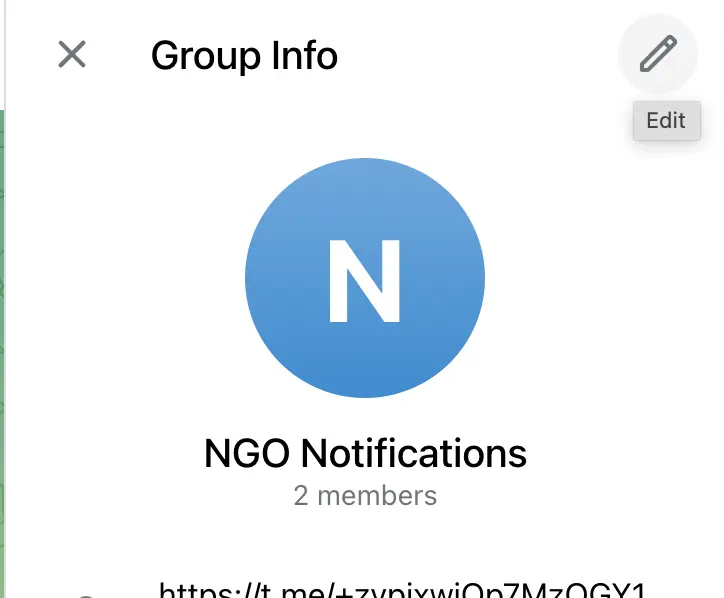
Click on Edit button on top right.
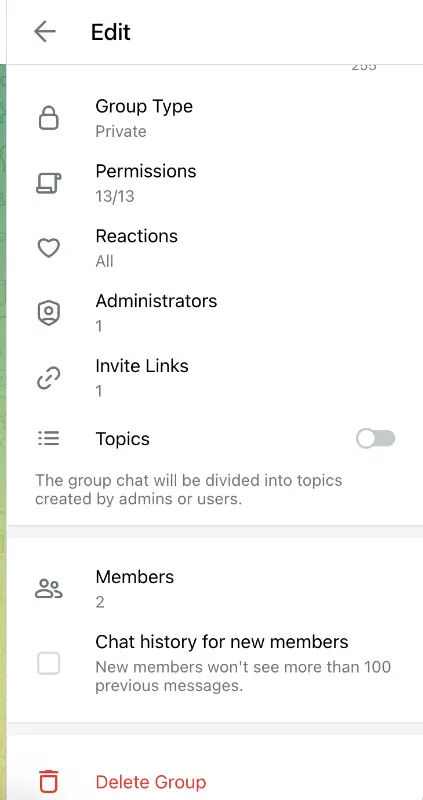
Click on 'Administrators' and then 'Add Admin' button.
Select NESTBot or K34a Bot.
Promote the bot to an Admin and allow it to 'Post Stories'. You can add more options if you want to.
Step 5: Get Your Telegram Group ID
NEST connects to Telegram using your group or channel ID.
To find it:
Open your group in Telegram Web
Look at the URL in your browser
It will look like this:https://web.telegram.org/a/#-1002546861828
You will see a number at the end of the URL, usually starting with -100.
Copy only the numeric part including the minus sign. This is your group ID.
The minus sign is required. Do not remove it.
Step 6: Connect Telegram in the NEST Dashboard
Now open your NEST admin dashboard.
Go to the Telegram setup section
Paste the copied group ID
Click Connect Telegram
NEST will save this configuration and prepare the connection.
Each organization can connect only one Telegram group at a time.
Step 7: Test the Connection
After connecting, use the Send Test Notification option in the dashboard.
If everything is set up correctly, you will see a test message appear in your Telegram group immediately.
This confirms that your integration is working.
What Notifications Will You Receive
Once connected, your Telegram group will receive updates for key events such as:
New donations
Volunteer signups
Form submissions
Selected analytics and operational alerts
This ensures your team stays informed without constantly checking the dashboard.
Best Practices and Tips
You can rename your Telegram group anytime without breaking the connection
Do not remove the bot from the administrators list
Keep the group private to avoid exposing internal updates
You can re-test the connection anytime from the NEST dashboard
NEST is built to help non-profits operate with clarity, speed, and accountability. Telegram integration brings critical updates directly to your team’s communication space, reducing friction and improving response times.
With just a few minutes of setup, your organization can stay connected to what matters most in real time.
If you ever need to change your Telegram group or reconfigure the connection, NEST makes it easy to manage directly from your dashboard.